Execution is getting cheaper. Keeping humans, assistants, automations, and AI agents aligned on what is actually true is becoming the real work.
Over the last year, the teams I manage have become much faster.
We use AI to write code, review changes, generate tests, draft documentation, summarize transcripts, explore alternatives, and move several pieces of work forward in parallel.
After working this way for a while, it is tempting to believe that productivity should scale almost linearly. Models get better. Context windows get larger. Token limits become less painful. Assistants become more capable. You can open more sessions, use more tools, delegate more pieces of work, and keep more things moving at the same time.
It looks like you only need to add more execution capacity.
That is not what I have seen.
Execution Got Cheaper. The Limit Moved.
Execution got cheaper. But the limit moved.
The slowest part was no longer only producing a first version, exploring a solution, writing support code, drafting a document, or running a preliminary check. The slowest part became keeping a shared understanding of what was actually going on.
For years, many software teams were constrained by analysis, implementation, testing, review, and delivery. AI is compressing many of those activities. It does not remove them, but it makes them faster. It lowers the cost of trying things, producing drafts, generating boilerplate, checking assumptions, and moving work forward.
But a faster system is not automatically a simpler system.
When more work is produced by more people, with more tools, across more parallel sessions, a different kind of cost appears: reconstructing the current state of reality.
What was decided.
Why it was decided.
What changed.
Which files actually matter.
Which action items are still open.
What the real next step is.
Which information is obsolete.
What an AI assistant can safely rely on.
This reconstruction work is everywhere.
It happens in meetings, in chat, inside tickets, across documents, inside prompts, and in the heads of the few people who still carry the full picture. It is often not treated as real work, because it does not produce an obvious artifact. But it consumes time, attention, and continuity.
The interesting part is that AI does not remove this problem. In many cases, it makes it more visible.
AI Exposes the Context Problem
A human team can survive for quite a while with partial memory, tribal knowledge, and informal conversations. It is not ideal, but it works. People fill the gaps. They remember context. They interpret tone. They know who to ask. They understand when an old note is no longer reliable.
AI agents do not.
If you want an assistant to work well on something, you need to give it explicit state. It needs readable files, current instructions, recoverable decisions, accessible history, clear action items, and operational boundaries.
If the context only lives in a chat, a call, a thread, or someone’s memory, then for the AI that context simply does not exist.
And when the context does exist, it can be worse if it is stale.
Stale context creates false confidence. An assistant reading outdated documentation is not just working with too little information. It is working with wrong information that looks authoritative. That is one of the most dangerous forms of friction in teams that start using AI seriously.
The Stack Holds Fragments of Truth
At that point, the traditional stack starts to show its limits.
Chat is good for conversation, but weak as operational memory. Tickets are useful for tracking work items, but often poor at preserving the context around the work. Wikis help, but they tend to become static. Repositories contain code, but not always the living state of what the team is working on. AI chats are powerful, but too often their context remains trapped inside a session.
Each tool holds a fragment of truth.
The problem is not that we lack tools. The problem is that we lack shared operational memory: a place where updates, decisions, action items, resources, work files, and instructions can stay close to each other, remain readable over time, and be usable by both people and AI.
This distinction became central for me.
Operational Memory, Not More Documentation
The answer is not simply to document more.
In fact, “document more” is often the wrong answer, because it turns a system problem into a matter of individual discipline. The point is not to convince everyone to maintain a perfect knowledge base. The point is to make it natural to capture context while work is happening.
The speed of capture matters.
If recording an update means opening a wiki, deciding where it belongs, cleaning it up, giving it a polished structure, linking it to other pages, and hoping someone will keep it updated later, most people will not do it. Or they will do it too late, when context has already turned into reconstruction.
The gesture has to be closer to the way work actually happens: write a rough note, save an intermediate output, record a short decision, add an action item, leave a log, attach a resource, update an instruction for an assistant.
Not as final documentation. As operational memory.
A more organized archive is not useful if nobody updates it. What teams need is living memory.
Operational memory is not a polished document. It can contain rough logs, short decisions, temporary notes, action items, links, generated files, intermediate outputs, assistant instructions, and summaries. It does not need to be perfect to be useful. But it must be recoverable, editable, readable, and close enough to the work that it does not become a separate ritual.
The Center Should Be the Workstream
This leads to another consequence: the center should not be the page, the thread, or the ticket.
The center should be the workstream.
I use “workstream” broadly. It can be a project, a milestone, a customer, a feature, a complex bug, an architectural decision, or an internal initiative. The team decides what the right container is. What matters is that it is a bounded, recognizable, mostly self-contained space for context.
That is where decisions make sense, files become relevant, action items get direction, conversations connect to a history, and AI can understand what it is working on.
If context is scattered by format or by tool, every new step requires reconstruction. If context orbits around the workstream, it becomes much easier to answer the only question that really matters:
Where are we with this?
Not: where is that document?
Not: which thread contains that decision?
Not: who remembers why we did this?
Not: what should I paste into the prompt so the AI understands?
Just: what is the real state of this work today?
The more I use AI with teams, the more this question feels infrastructural.
If execution costs less, value moves toward the quality of the available context. A better model helps. But a better model without reliable memory still asks you to rebuild the world from scratch.
At some point, I stopped treating this as a habit problem and started treating it as a system problem.
Why I Built Devsync
That is why I built Devsync.
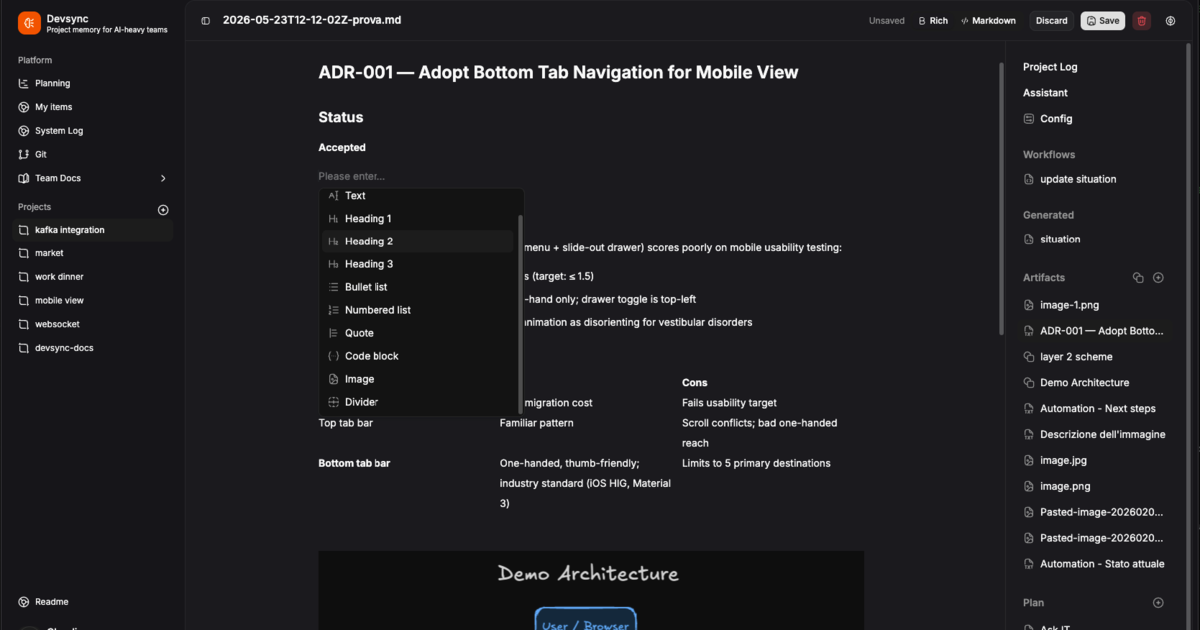
Devsync is my practical attempt to address this: an operational memory for workstreams, readable by people, assistants, automations, and AI agents, without locking that memory inside another silo.
The idea is simple. The context lives in a filesystem vault, using readable files such as Markdown and JSON. Inside that vault you can keep logs, decisions, action items, resources, work files, assistant instructions, and automations. The vault can be versioned with Git, inspected outside the UI, and used by external AI clients through MCP.
Assistants and automations work with path-level read and write scopes, because if AI can read and write inside the team’s context, it needs clear boundaries.
These are practical choices.
Readable files, because context should remain accessible. Git, because team memory should be versionable. Local-first and self-hosted, because operational context should not become another piece of data trapped inside a closed platform. MCP, because agents should not depend only on the product UI. Scopes and logs, because AI should be able to act, but not as an unbounded actor.
Devsync is not trying to be another AI chat, another wiki, or another task tracker. Those categories describe pieces of the problem, not the whole problem.
The whole problem is sync.
Keeping people, decisions, files, action items, assistants, automations, and agents aligned around a sufficiently reliable representation of the current state of work.
Devsync is open source. The code is available on GitHub: github.com/caporro/devsync.
The Hard Part Is Sync
AI is making teams faster. But precisely because it makes them faster, staying aligned becomes more expensive.
The hard part is no longer only producing work.
It is syncing the right context, at the right time, across every actor involved in the work: people, assistants, automations, and agents.