I want to be able to send someone an AI assistant the way I send them an article: copy a link, paste it into a message, and let them open it.
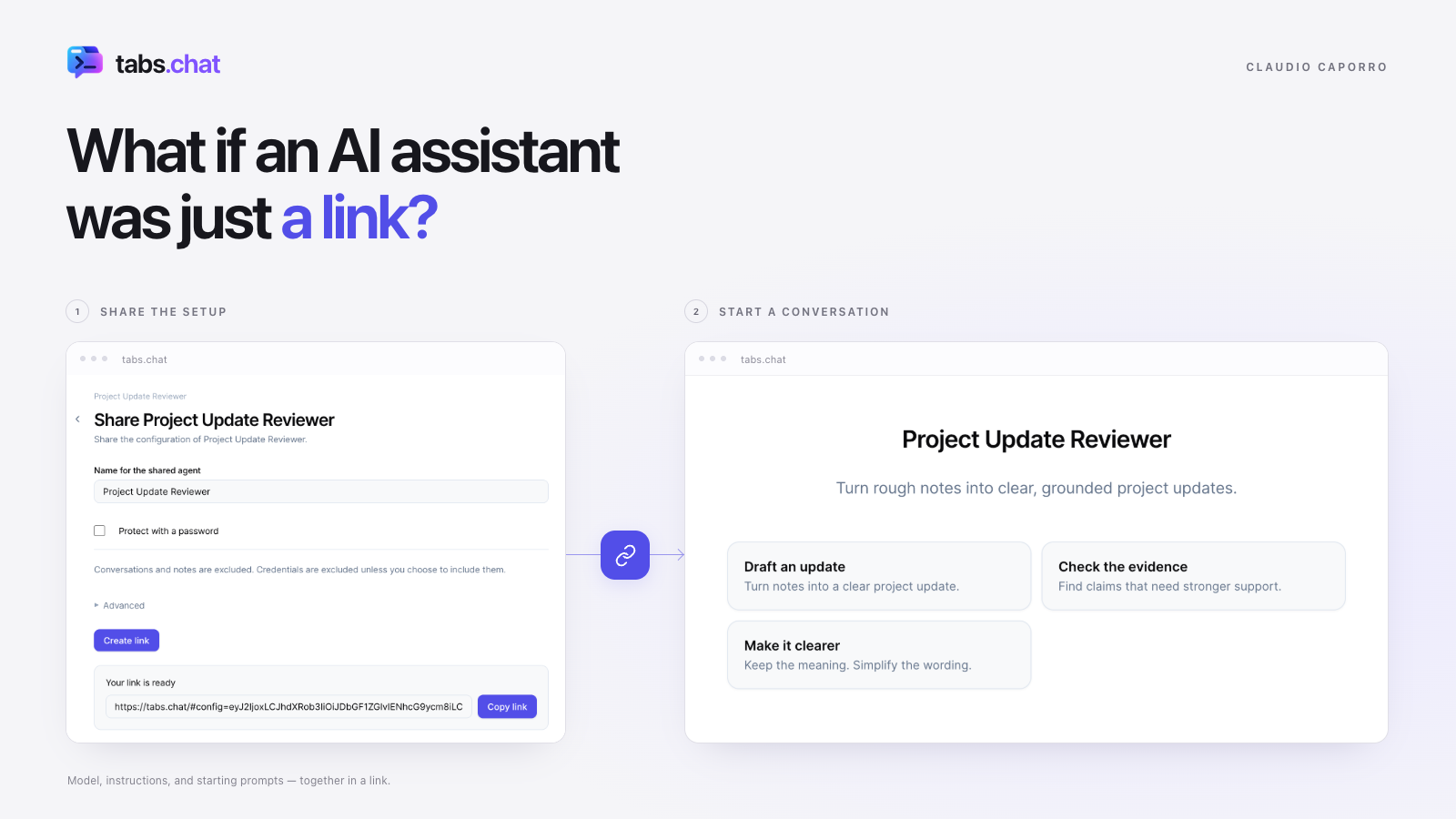
Think about the choices that go into making an assistant useful. You pick a model. You work on the instructions. You decide what it should help with, what a good result looks like, and which tools it needs. You also learn how to get a useful conversation started.
Passing all of that to someone else can turn into a small setup guide. Select this model, paste these instructions, connect this tool. If the explanation reaches “just edit this JSON file,” the word “just” is doing a surprising amount of work.
I would like the care put into preparing an assistant to survive that handover. The person receiving it should have a clear starting point and room to make it useful for their own work.
tabs.chat is my attempt to make that possible with a link.
An agent in tabs.chat brings together its AI connections, models, instructions, tools, and welcome screen. You can prepare an assistant for a particular activity and share its configuration through a URL. The recipient opens it in their browser and imports the agent.
Consider a writing assistant for technical project updates. Its instructions might ask it to separate completed work from plans, explain decisions in plain language, and flag missing evidence. Its welcome screen could offer starting points such as “Turn these notes into a project update” or “Review this draft for unsupported claims.”
If I were preparing this for a colleague, I would care about those opening suggestions as much as the instructions. A blank chat asks them to figure out what to do. A couple of well-chosen starting points can make the purpose of the assistant immediately understandable.
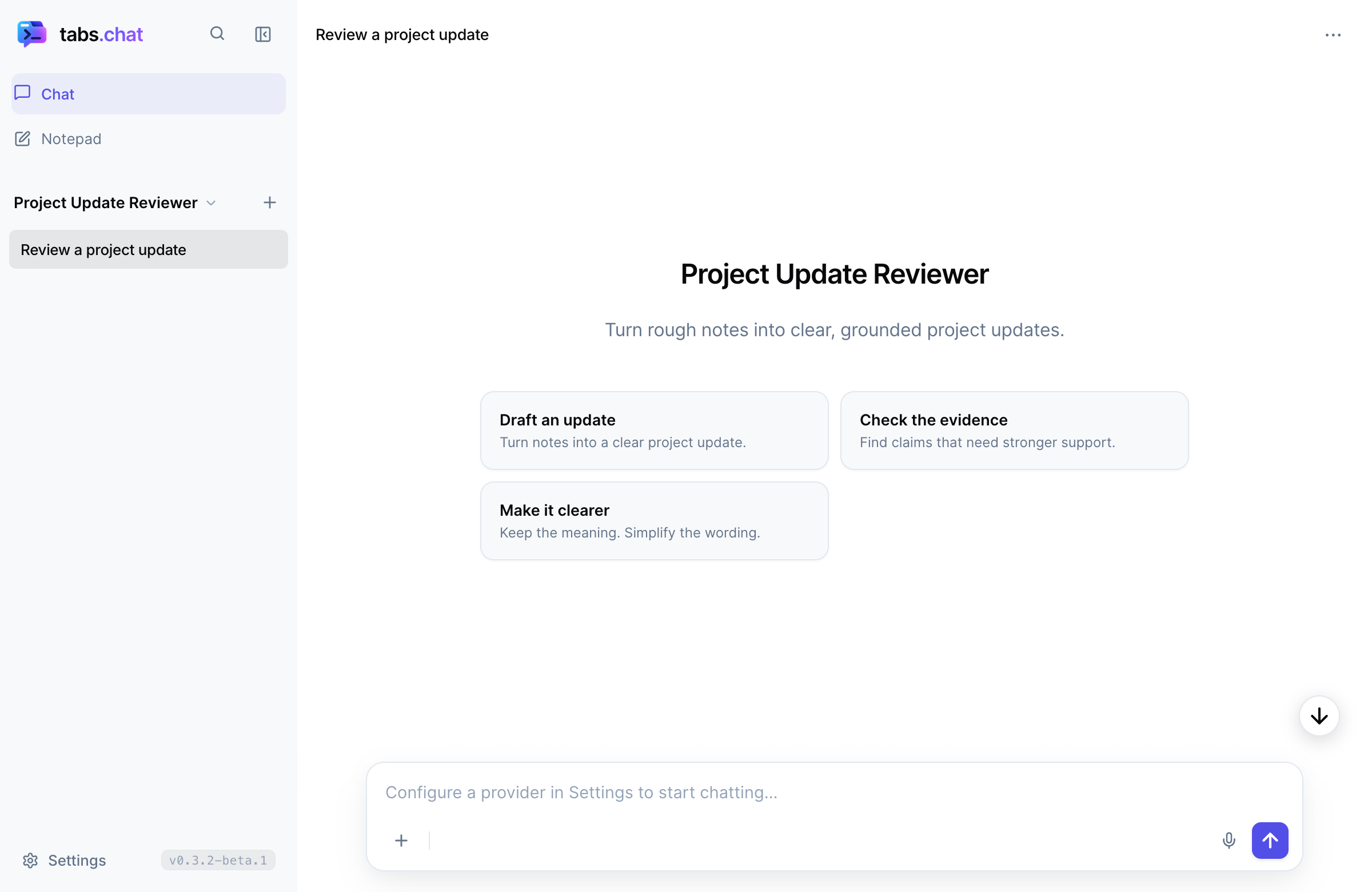
The link carries those choices together. The person opening it gets the model connection, the instructions, and the welcome screen I prepared. Once they have access to the configured model, they can start with their own material.
Their conversations and notes stay separate from yours. Sharing an agent exports its configuration; it does not include your chat history or saved notes.
That is what I find appealing about sharing the setup. Someone else gets a starting point they can use and adapt. They can change the instructions, try a different model, or find a use I had not considered. I can offer a way of approaching a task and see what they do with it.
There is one practical detail to arrange: access to the model. The recipient can use their own API key, or you can deliberately provide access through the configuration you share. The chosen service still has its own requirements and costs. tabs.chat itself needs no account.
For the writing example, I would start without shared credentials: prepare the assistant, send the link, and let the recipient add their own API key. The useful part I am passing on is the set of choices about how the assistant should help.
Under the hood, a documented format describes the agent. The configuration travels in the link and is read by the browser when it opens. There is also an option to protect the shared configuration with a password.
Having a documented format and generator opens up another possibility I like: asking an AI to help prepare the assistant you want to share. For example:
Create a tabs.chat configuration for reviewing technical project updates. Use the provider endpoint and model I give you. Ask the assistant to distinguish completed work from proposals, flag unsupported claims, and suggest clearer wording. Add three starting prompts and leave credentials out.
An assistant able to run the generator can turn that request into a configuration and a link. I would still check the result and try the assistant before passing it on.
This makes the preparation itself a conversation. I could work through the purpose, tone, and useful starting points with an AI, then take away something another person can open. The thought put into that conversation has a practical destination.
The application follows the same idea of portability. Alongside the hosted version, tabs.chat is available as a single HTML file you can download and open in a browser. Its interface and supporting resources are bundled into the file; it connects to the cloud or local models you configure.
I like the simplicity of being able to keep a copy of the application itself. There is no tabs.chat application server or user database to run. The HTML carries the client, while the link carries the assistant configuration. Saved conversations and notes can be moved separately through a JSON backup.
tabs.chat is an open-source project, currently in beta. You can try it online or download the portable HTML. For a first experiment, I would keep the scope small: one assistant, one activity, and a few useful starting points.
A writing reviewer, a tutor for a specific topic, or a way to try a tool you have built. Prepare it, check it, and send the link to someone who did not configure it. Then pay attention to what they still need you to explain.
That is the test I care about: how much explanation has to travel alongside the link?
I want the next conversation to be about what they are trying to do.